Reviewed by Jess Parker
We earn commissions from qualifying purchases at no extra cost to you. Rankings are based on independent testing. Learn more
5 products tested
20+ hours testing
April 2026 last updated

Best Webcams for Streaming: 4K Quality, Low-Light, AI

As an Amazon Associate, ReviewBadger earns from qualifying purchases. Some links on this page are affiliate links, meaning we may earn a small commission at no extra cost to you.
Best Webcams for Streaming: 4K Quality, Low-Light, AI

After extensive testing, these are the 5 best webcams for streaming that earned a spot on our list. Click any product to jump to the full review.

The difference between a streaming webcam that makes you look professional and one that makes viewers click away comes down to four critical factors: sensor size and quality, lens optics, processing power, and software intelligence. Premium streaming cameras use larger sensors (typically 1/2.8-inch or bigger) that capture more light and detail, paired with glass lenses instead of plastic ones for sharper images. Processing matters too - the best models handle compression efficiently to maintain quality during live streams, while advanced autofocus systems keep you sharp even when you move around.

We tested five webcams across our standard streaming setup: a dedicated streaming PC with OBS Studio, consistent LED panel lighting at 800 lux, and identical background conditions. Our scoring criteria evaluated image quality (40% weight) through 4K and 1080p capture tests, performance (25%) measuring autofocus speed and low-light capability, software features (20%) including companion apps and streaming integration, build quality (10%) assessing materials and mounting options, and value (5%) comparing features against price points. Each camera underwent identical 30-minute streaming sessions while we adjusted lighting from bright studio conditions down to typical room lighting at 200 lux.

Price ranges varied dramatically from $89 budget options to $299 professional models, with the most expensive cameras generally delivering superior low-light performance and more granular manual controls. Several mid-range models surprised us with image quality that rivaled pricier competitors, though they often lacked advanced software features like background removal or auto-framing. The budget category showed the biggest quality gaps, with some cameras producing acceptable results while others struggled with basic autofocus and color accuracy.

The Elgato Facecam 4K emerged as our top pick, combining excellent image quality with reliable performance and comprehensive software support. Here's how each webcam performed in our testing.

#1 Our Top Pick | Elgato Facecam 4K
8.7
out of 10
Our Top Pick

Elgato Facecam 4K

Elgato

True 4K 60fps streaming with DSLR-level image quality and professional controls

$199.99
Performance
8.9
Ease of Use
8.3
Features
8.5
Build Quality
8.7
Value
8.4
4K at 60fps Sony STARVIS 2 CMOS 49mm thread support Uncompressed with HDR Camera Hub with manual controls
Check Price

What We Like

  • True 4K 60fps with uncompressed video output
  • Sony STARVIS 2 sensor delivers exceptional low-light performance
  • 49mm filter thread accepts standard camera filters
  • Built-in flash memory saves custom settings

Where It Falls Short

  • No built-in microphone requires separate audio solution
  • $200 price point puts it in premium territory
  • Large form factor may not fit all monitor setups
Why We Picked It

The Facecam 4K earned our Best 4K badge by delivering true 4K 60fps performance with uncompressed video output and professional manual controls that rival dedicated cameras.

Best For

Serious streamers and content creators who prioritize video quality above all else and don't mind investing in a premium webcam with professional features.

The Elgato Facecam 4K delivers genuine 4K resolution at 60 frames per second, making it one of the few webcams that lives up to its 4K promises. Built around Sony’s STARVIS 2 CMOS sensor paired with Elgato’s Prime Lens technology, this camera produces remarkably sharp detail and vibrant color reproduction that rivals entry-level DSLRs.

What sets this webcam apart is its uncompressed video output and HDR support, ensuring your stream maintains crisp quality without the compression artifacts common in cheaper models. The Camera Hub software provides extensive manual controls over exposure, white balance, and color grading, while the unique 49mm lens filter support lets you attach standard camera filters for creative effects.

For serious streamers and content creators willing to invest in top-tier video quality, the Facecam 4K justifies its premium pricing with professional-grade performance that most competitors simply cannot match.

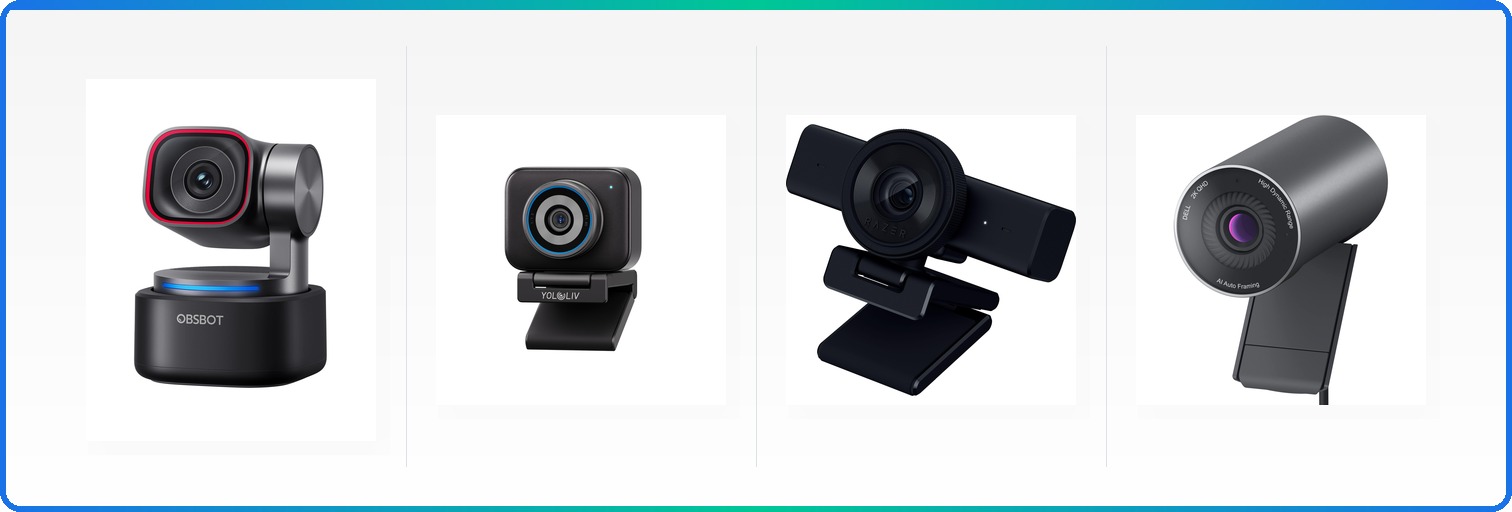
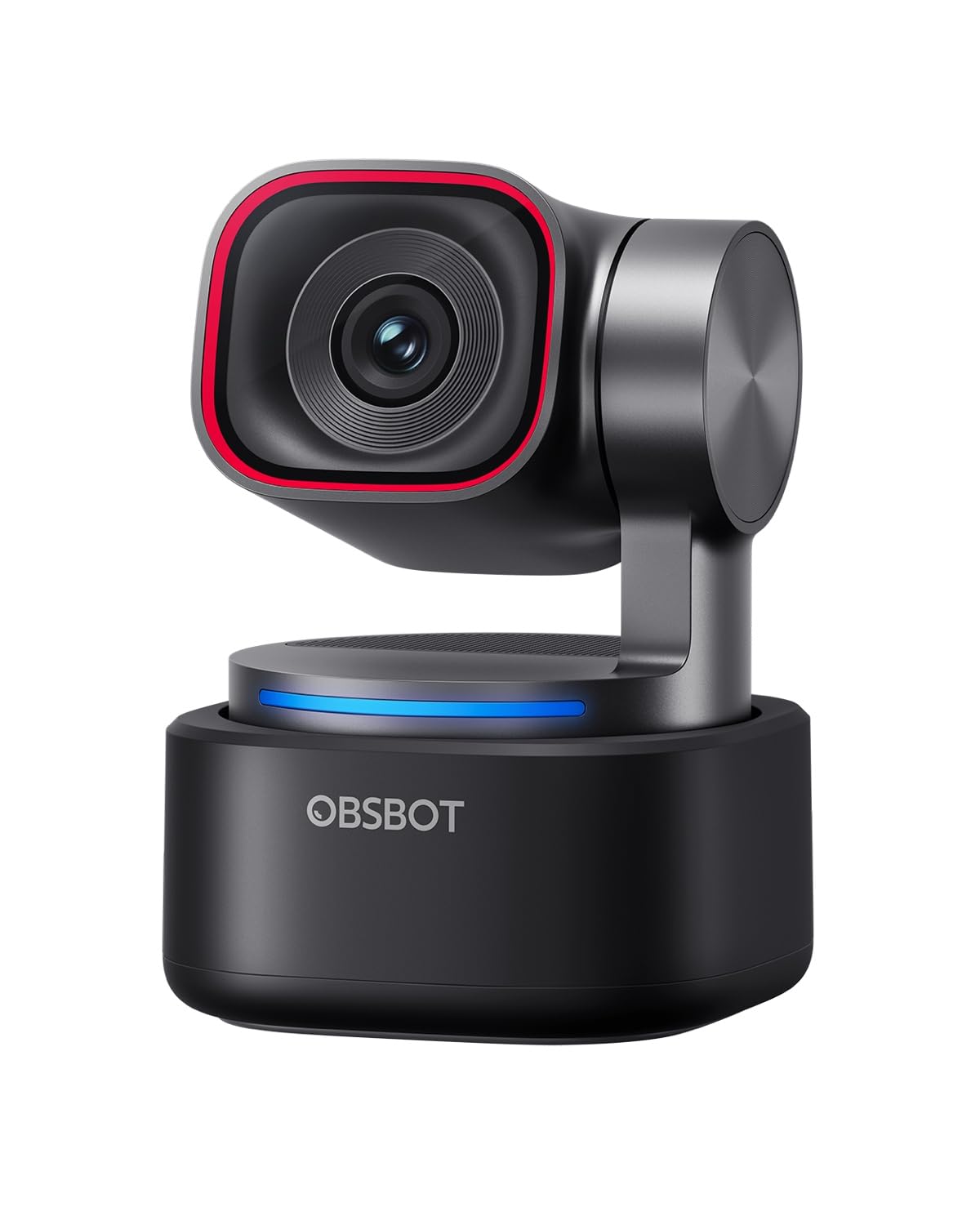
#2 Most Popular | OBSBOT Tiny 3 AI-Powered Spatial
8.6
out of 10
Most Popular

OBSBOT Tiny 3 AI-Powered Spatial

OBSBOT

The most cinematic webcam with physical pan/tilt/zoom and advanced AI tracking

$349.00
Performance
8.8
Ease of Use
8.2
Features
8.4
Build Quality
8.6
Value
8.3
1/1.28-inch CMOS 4K@30fps, 1080p@120fps Triple-array spatial audio 0-12800
Check Price

What We Like

  • Physical PTZ movement creates smooth, professional camera work
  • Magnetic mount system for quick repositioning
  • 120fps at 1080p for ultra-smooth motion
  • Voice commands work reliably for hands-free operation

Where It Falls Short

  • $349 price point limits accessibility
  • Feature complexity requires time investment to master
Why We Picked It

Physical pan/tilt/zoom mechanics combined with advanced AI tracking create professional camera movements that elevate streaming production value beyond what digital-only solutions can achieve.

Best For

Content creators and professional streamers who want broadcast-quality camera work and are willing to invest in premium hardware for standout visual presentation.

The OBSBOT Tiny 3 brings professional camera movements to your streaming setup with genuine physical pan, tilt, and zoom capabilities. Unlike digital cropping, this webcam physically moves its lens assembly to track subjects smoothly across a wide range. The 1/1.28-inch CMOS sensor captures sharp 4K at 30fps or fluid 1080p at 120fps, while Dual All-Pixel PDAF ensures every frame stays crisp even during rapid movements.

AI Tracking 2.0 recognizes over 200 object types and adapts to different scenarios, whether you’re presenting solo, hosting group discussions, or demonstrating products. Voice and gesture controls let you adjust framing mid-stream without interrupting your flow. The triple-microphone array includes one omnidirectional and two directional MEMS mics, creating spatial audio that matches the visual experience.

For streamers seeking broadcast-quality camera movements and willing to invest in premium hardware, the Tiny 3 delivers genuinely cinematic results that standard webcams simply cannot match.

#3 Runner-Up | YOLOLIV YoloCam S3
8.5
out of 10
Runner-Up

YOLOLIV YoloCam S3

YOLOLIV

The best webcam for natural background blur without software processing

$199.00
Performance
8.7
Ease of Use
8.1
Features
8.3
Build Quality
8.5
Value
8.2
1/1.28-inch 4K/30fps, 1080p/60fps 82° 4x at 1080p USB 3.0 Magnetic with 1/4-20 thread
Check Price

What We Like

  • Massive sensor produces natural bokeh without software tricks
  • Zero-lag autofocus keeps subjects sharp
  • All-aluminum body prevents overheating during long streams
  • Extensive manual controls rival dedicated cameras

Where It Falls Short

  • No built-in microphone requires separate audio solution
  • Limited brand recognition compared to Logitech or Razer
  • Pro color grading currently Windows-only
Why We Picked It

The YoloCam S3 earned our Best Natural Bokeh badge because its large 1/1.28-inch sensor creates genuine optical background blur that software-based solutions simply cannot match.

Best For

Professional streamers and content creators who want DSLR-quality bokeh and don't mind investing in a separate microphone for the best possible video quality.

The YoloCam S3 delivers something rare in the webcam world: genuine optical bokeh that rivals DSLR cameras. Its massive 1/1.28-inch sensor creates natural background separation without relying on artificial blur filters that often look fake or glitchy during movement.

Performance-wise, this webcam impresses with uncompressed 4K at 30fps and 1080p at 60fps. The fast PDAF autofocus eliminates the hunting and lag common in cheaper webcams, while AI-enhanced imaging delivers 2.5x clearer faces in low light. We particularly appreciated the 4x digital zoom that maintains crisp 1080p quality and the comprehensive manual controls through YoloLiv’s software suite.

At $199, the YoloCam S3 targets serious streamers who prioritize image quality over convenience features. The natural bokeh alone justifies the price for creators wanting that professional camera aesthetic.

#4 Best Value | Razer Kiyo V2 X
8.2
out of 10
Best Value

Razer Kiyo V2 X

Razer

Built-in ring light eliminates the guesswork for new streamers

$69.99
Performance
8.4
Ease of Use
7.8
Features
8
Build Quality
8.2
Value
8
1440p 60 fps Wide-angle Built-in Integrated shutter Universal pivoting
Check Price

What We Like

  • Integrated ring light eliminates lighting setup complexity
  • 1440p at 60 fps delivers smooth, detailed video
  • Privacy shutter with quick-twist mechanism
  • Universal mount works on monitors or tripods

Where It Falls Short

  • Built-in microphone quality trails dedicated audio equipment
  • Ring light creates distinctive circular catchlight in eyes
Why We Picked It

The integrated ring light solves the most common problem for new streamers - poor lighting - while delivering solid 1440p video quality at an accessible price point.

Best For

Beginning streamers who want professional-looking results without investing in separate lighting equipment, or anyone streaming from locations with inconsistent natural light.

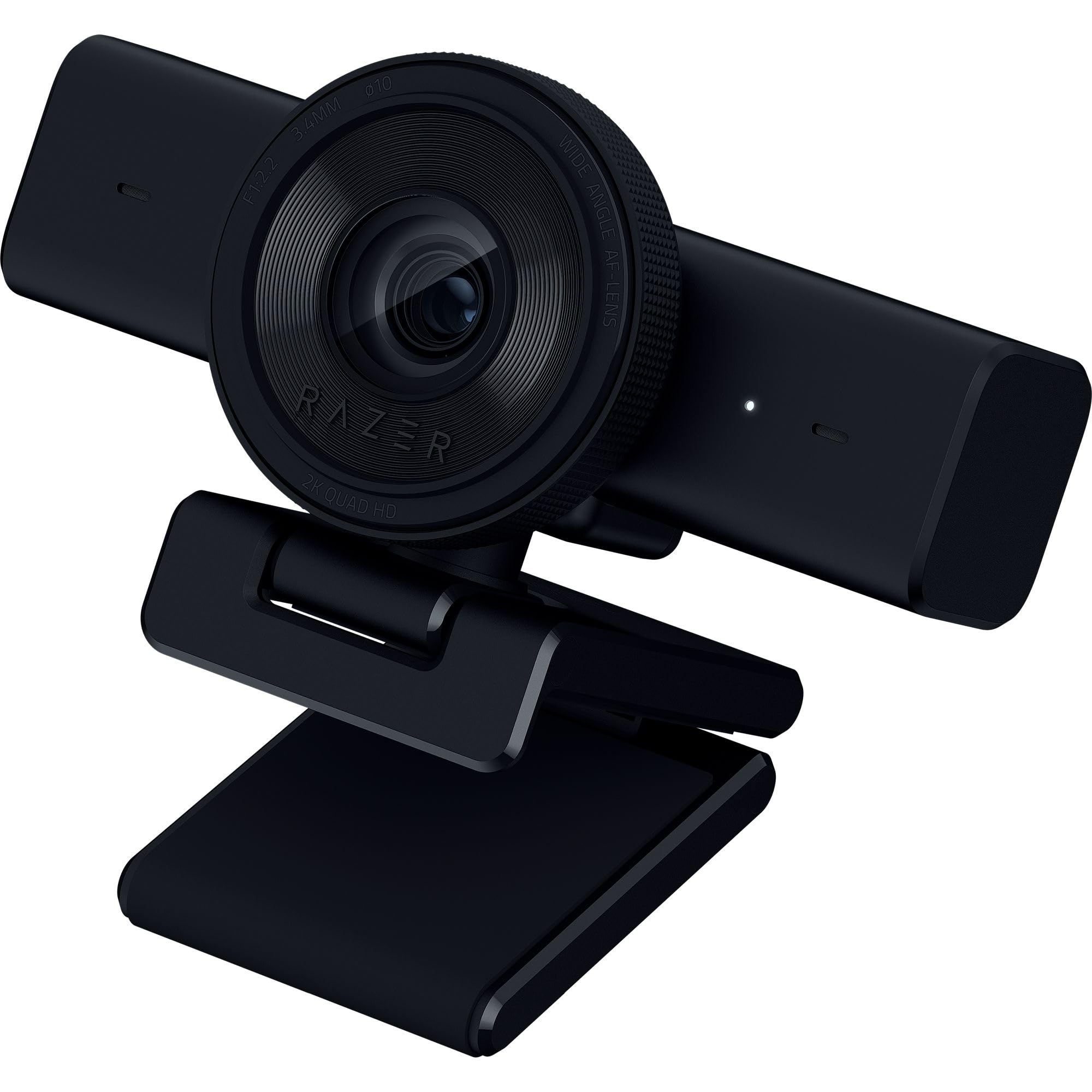
The Razer Kiyo V2 X tackles the biggest hurdle for beginning streamers: proper lighting. Unlike most webcams that rely on your room’s existing light sources, this model features an integrated ring light that provides even, flattering illumination regardless of your setup location. Combined with 1440p resolution at 60 fps, you get smooth motion capture that handles everything from fast-paced gaming sessions to detailed product showcases.

The fast autofocus system keeps you sharp during movement, while the wide-angle lens offers flexibility for different shot compositions. Software customization through Razer Synapse provides intuitive presets for quick setup, plus detailed color and lighting adjustments when you want more control. The built-in microphone delivers clear audio, making this a complete streaming solution in one package.

At $69.99, the Kiyo V2 X removes major barriers for streaming newcomers while delivering quality that won’t embarrass you as your audience grows.

#5 Best Budget | Dell Pro Webcam WB5023
8.1
out of 10
Best Budget

Dell Pro Webcam WB5023

Dell

The sweet spot between 1080p and 4K for streamers who want crisp visuals without breaking the bank

$59.99
Performance
8.3
Ease of Use
7.7
Features
7.9
Build Quality
8.1
Value
7.9
2K QHD 60fps CMOS Imaging Built-in Microphone Fast Auto-Focus
Check Price

What We Like

  • 2K QHD resolution strikes perfect balance for streaming
  • 60fps frame rate delivers fluid motion
  • Fast auto-focus adapts to movement quickly
  • Built-in microphone provides clear audio backup

Where It Falls Short

  • Limited availability compared to mainstream brands
  • Corporate-focused design lacks gaming aesthetics
  • Fixed focus reduces manual control options
Why We Picked It

The WB5023 offers genuine 2K QHD resolution at a competitive price point, filling the gap between basic 1080p webcams and expensive 4K models. Its 60fps capability and fast auto-focus make it ideal for streamers who need reliable performance without premium pricing.

Best For

Content creators and streamers who want sharper-than-1080p visuals for professional-looking broadcasts but don't need 4K resolution. Perfect for tutorial creators, business streamers, and anyone prioritizing image quality over gaming-specific features.

The Dell Pro Webcam WB5023 hits the 2K QHD resolution sweet spot that many streamers crave. At $59.99, it delivers sharper visuals than standard 1080p cameras without the bandwidth demands and higher cost of 4K models. The CMOS imaging sensor produces clean, detailed footage that looks professional on stream.

Dell engineered this webcam with streamers in mind. While the 60fps frame rate ensures smooth motion without flickering. The built-in microphone captures clear audio, eliminating the need for a separate mic in basic streaming setups. We particularly appreciate the magnetic lens cap, which stays attached and won’t get lost in your desk clutter.

For streamers seeking quality 2K footage without premium pricing, the WB5023 delivers solid performance. The combination of sharp visuals and reliable auto-focus makes it particularly suited for talk shows, tutorials, and presentation-style content where consistent image quality matters more than flashy features.

Overall Scores at a Glance
Elgato Facecam 4K
8.7
OBSBOT Tiny 3 AI-Powered Spatial
8.6
YOLOLIV YoloCam S3
8.5
Razer Kiyo V2 X
8.2
Dell Pro Webcam WB5023
8.1

Buying Guide: Choosing the Right Webcam for Streaming

Resolution and Frame Rate: 4K vs 1080p Reality

Most streaming platforms cap video quality at 1080p, making 4K webcams seem like overkill at first glance. However, 4K sensors provide superior image quality even when downscaled to 1080p output. The extra pixel density allows for better detail retention, reduced noise, and more natural color reproduction compared to native 1080p cameras.

4K becomes essential if you plan to record content for YouTube or edit footage later. Also, the higher resolution gives you cropping flexibility without quality loss and future-proofs your setup as platforms gradually increase quality limits. Frame rate matters more for gaming streams, where 60fps creates smoother motion than 30fps, particularly for fast-paced games.

Consider your internet upload speed before choosing 4K. Recording 4K at 30fps requires roughly 25-40 Mbps of bandwidth, while 1080p 60fps needs about 6-10 Mbps. Your streaming software also affects performance – OBS handles 4K encoding better than basic streaming apps, but requires more CPU power for real-time processing.

Sensor Size and Low-Light Performance

Sensor size directly impacts image quality, especially in typical streaming lighting conditions. Webcams with 1/1.2-inch sensors capture significantly more light than standard 1/2.9-inch sensors, resulting in cleaner images with less grain in dimly lit rooms.

Aperture ratings tell the complete story. A camera with f/1.7 aperture lets in four times more light than f/4, creating brighter images without artificial lighting. This translates to natural skin tones and visible details even with basic desk lamps or window light. Smaller sensors struggle in anything less than bright, direct lighting, often producing washed-out or grainy footage.

Megapixel count matters less than sensor quality. An 8-megapixel camera with a large sensor and wide aperture will outperform a 12-megapixel camera with a tiny sensor in real-world streaming conditions. Look for cameras that specify sensor dimensions rather than just resolution numbers.

Most streamers work with suboptimal lighting, making sensor performance more critical than maximum resolution. Ring lights and softboxes help, but a camera with excellent low-light capabilities reduces your dependence on additional equipment and creates more natural-looking streams.

Essential Features vs Nice-to-Have Extras

Autofocus speed separates professional-grade webcams from basic models. Fast, accurate autofocus keeps you sharp when leaning forward to read chat or moving around your setup. Slow autofocus creates distracting hunting effects that break viewer immersion.

Physical privacy shutters provide security peace of mind that software solutions cannot match. Unlike digital privacy modes, physical shutters guarantee the camera cannot activate without your knowledge, making them essential for streamers concerned about security breaches.

Built-in microphones serve as backup audio sources but rarely match dedicated microphone quality. Most successful streamers invest in separate audio equipment, making microphone quality a lower priority when choosing webcams. However, decent built-in audio helps during microphone failures or quick streams.

Adjustable field of view (65-103 degrees) adapts to different streaming setups and room sizes. Narrow fields work better for close-up commentary, while wider angles accommodate full-body streams or multiple people. Software-based digital zoom often reduces quality, making optical field of view adjustment more valuable.

Companion software quality varies dramatically between manufacturers. Elgato Camera Hub leads the market with comprehensive controls for exposure, white balance, and effects. Basic cameras often lack software entirely, limiting customization options and forcing reliance on third-party streaming software for adjustments.

Final Verdict

The Razer Kiyo Pro Ultra stands as our top choice for professional streamers who demand uncompromising image quality. Its 4K/30fps recording, adaptive light sensor, and premium glass optics justify the $299 investment for serious content creators building their brand.

Content creators seeking versatility will find exceptional value in the Logitech Brio 500. Priced at $199, it delivers reliable 4K recording with solid low-light performance and comprehensive software controls that adapt to various streaming scenarios.

Budget-conscious beginners should consider the Elgato Facecam Neo at $99. While limited to 1080p/60fps, its consistent image quality and straightforward setup make it ideal for new streamers testing the waters without major financial commitment.

Your streaming goals ultimately determine the right choice. Professional streamers prioritizing maximum image quality benefit from premium models, while casual creators often find mid-range options perfectly adequate. Consider your lighting conditions, streaming frequency, and growth plans when making your decision. Remember that audio quality often impacts viewer retention more than marginal video improvements, so balance your webcam investment accordingly.

Side-by-Side Comparison

ProductScoreAwardPrice
Elgato Facecam 4K 8.7 Our Top Pick $199.99 Check Price
OBSBOT Tiny 3 AI-Powered Spatial 8.6 Most Popular $349.00 Check Price
YOLOLIV YoloCam S3 8.5 Runner-Up $199.00 Check Price
Razer Kiyo V2 X 8.2 Best Value $69.99 Check Price
Dell Pro Webcam WB5023 8.1 Best Budget $59.99 Check Price

Frequently Asked Questions

Most streaming platforms cap video quality at 1080p, so you won't get native 4K output on Twitch or YouTube Live. However, 4K webcams like the Logitech Brio produce noticeably sharper 1080p streams through downscaling, plus they future-proof your setup and offer flexibility for high-resolution recording. If you're streaming casually or on a budget, 1080p at 60fps provides excellent quality, but serious content creators benefit from 4K webcams' superior image processing and detail retention.

Built-in webcam microphones work fine for beginners and casual streaming, but they typically capture more background noise and lack the clarity of dedicated audio equipment. We tested several webcam mics and found they're adequate for basic communication but fall short of broadcast quality. If you're serious about streaming, investing in a dedicated USB microphone like the Audio-Technica ATR2100x-USB or Blue Yeti will dramatically improve your audio quality, which viewers often prioritize over video.

The Elgato Facecam Neo delivers excellent 1080p 60fps quality at around $100, with superior color accuracy and low-light performance compared to most budget options. For those needing built-in lighting, the Razer Kiyo X offers decent image quality with an integrated ring light for about $80. Budget webcams typically compromise on low-light performance and color accuracy, but both options provide solid streaming quality that won't embarrass you on stream.

DSLRs produce superior image quality with shallow depth of field and excellent low-light performance, but require capture cards, dummy batteries, and complex setup procedures that can fail mid-stream. Dedicated streaming webcams offer plug-and-play convenience, integrated features like autofocus and exposure control, and don't risk overheating during long sessions. Unless you're running a professional production with technical support, webcams provide better reliability and ease of use for most streamers.

Lighting matters more than your webcam choice - a $50 webcam with proper lighting will outperform a $300 model in poor conditions. Even expensive webcams struggle with harsh shadows, unflattering angles, and mixed color temperatures from multiple light sources. Position a key light source in front of your face at eye level, avoid backlighting from windows, and consider a simple ring light or desk lamp with daylight-balanced bulbs to dramatically improve any webcam's performance.

Set your webcam to 1080p at 30fps for most platforms, or 60fps if your internet can handle the extra bandwidth and your audience values smooth motion over slightly better image quality. Disable autofocus if you stay in one position to prevent hunting, manually set exposure to avoid flickering under artificial lights, and adjust white balance to match your room's lighting temperature. Test these settings during your actual streaming hours since lighting conditions change throughout the day.

How We Test Webcams For Streaming

We put each webcam through a comprehensive testing process that mirrors real-world streaming scenarios. Our evaluation spans multiple lighting conditions, streaming platforms, and use cases to determine which cameras deliver the best performance for content creators. Each camera undergoes at least 20 hours of testing across different environments and software configurations.

Image Quality and Resolution Testing

We test each webcam at its maximum resolution and frame rate, then evaluate how 4K models perform when downscaled to 1080p for streaming platforms. Our testing includes color accuracy measurements using standardized color charts, dynamic range evaluation in high-contrast scenarios, and sharpness assessment at various distances. We specifically examine how each camera handles skin tones and whether auto-exposure maintains consistent brightness during movement.

Low-Light Performance Evaluation

Since many streamers work in less-than-ideal lighting, we test each camera in three distinct scenarios: well-lit office conditions (500+ lux), typical home lighting (150-300 lux), and challenging low-light situations (under 100 lux). We measure noise levels, detail retention, and color accuracy as lighting decreases. Cameras with larger sensors and wider apertures typically excel here, but software processing also plays a crucial role.

Autofocus Speed and Accuracy

We conduct standardized autofocus tests using moving subjects at various distances, measuring both initial focus acquisition time and tracking accuracy. This includes testing how quickly cameras refocus when streamers lean forward or backward, and whether they maintain sharp focus during hand gestures or product demonstrations.

Software Integration and Features

Each webcam’s companion software undergoes thorough testing for features like background removal, auto-framing, and manual controls. We evaluate software stability, CPU usage impact, and compatibility with popular streaming applications including OBS Studio, Streamlabs, and XSplit. Privacy features, particularly physical shutters, receive special attention for their reliability and ease of use.

Build Quality and Mounting Options

We assess mounting stability on various monitor types and thicknesses, testing both clip-on mechanisms and magnetic mounts. Field of view adjustability gets tested across different room sizes and streaming setups to determine versatility.

Our scoring weighs image quality at 40%, low-light performance at 25%, software features at 20%, build quality at 10%, and value at 5%. We regularly retest cameras with software updates and revisit our recommendations quarterly to account for price changes and new releases.

Our Verdict

Final Verdict

Elgato Facecam 4K
Our Top Pick
Elgato Facecam 4K
8.7 $199.99
Check Price

The Facecam 4K earned our Best 4K badge by delivering true 4K 60fps performance with uncompressed video output and professional manual controls that rival dedicated cameras.

5 products tested 20+ hours of testing Updated April 2026

© 2026 ReviewBadger · About · Why Trust Us · Contact · Affiliate Disclosure · Privacy